Making Progress
Gameplay Display

 Compass
Displays north, the direction of your objective, shrine locations, etc.
 Enemy Information
 Item Shortcuts
 Guardian Spirit Skill Icon
The Guardian Spirit Skill can be used when this icon glows.
 Amrita Gauge (Guardian Spirit Icon)
Displays your current Guardian Spirit. Collect Amrita to fill the gauge. The gauge will glow when full, indicating that Living Artifact can be activated.
 Life Gauge
Depletes when you take damage. If it reaches zero, you die.
You can recover Life with an elixir. Life is fully recovered when you pray at a shrine.
 Ki Gauge
Depletes when you perform actions such as attacking or dodging, but recovers automatically over time. When the gauge is empty, you will be unable to perform actions that require Ki.
 Spirit Force Gauge
Depletes when you use Guardian Spirit Skills. Charges when you land melee attacks on enemies.
 Melee Weapon
The melee weapon you're currently using. Progress further through the game and you'll be able to change it as follows:
| Switch Melee Weapon | ||
|---|---|---|
| PlayStation®5 | PC/Steam® | |
| Controller | Keyboard and Mouse | |
 + + |
 + + |
 |
 Stance/Ninjutsu
In Samurai Style: Displays current stance.
In Ninja Style: Displays set Ninjutsu and remaining uses.
 Arts Gauge
Displays whether or not Arts Proficiency can be used. Charges when you attack or guard.
 Information on Inactive Style
In Samurai Style: Glows when Ninjutsu are available to use in Ninja Style, and flashes when the max number of uses is available.
In Ninja Style: Shows how full the Samurai Style Arts Gauge is.
 Gold/Amrita
Map Screen
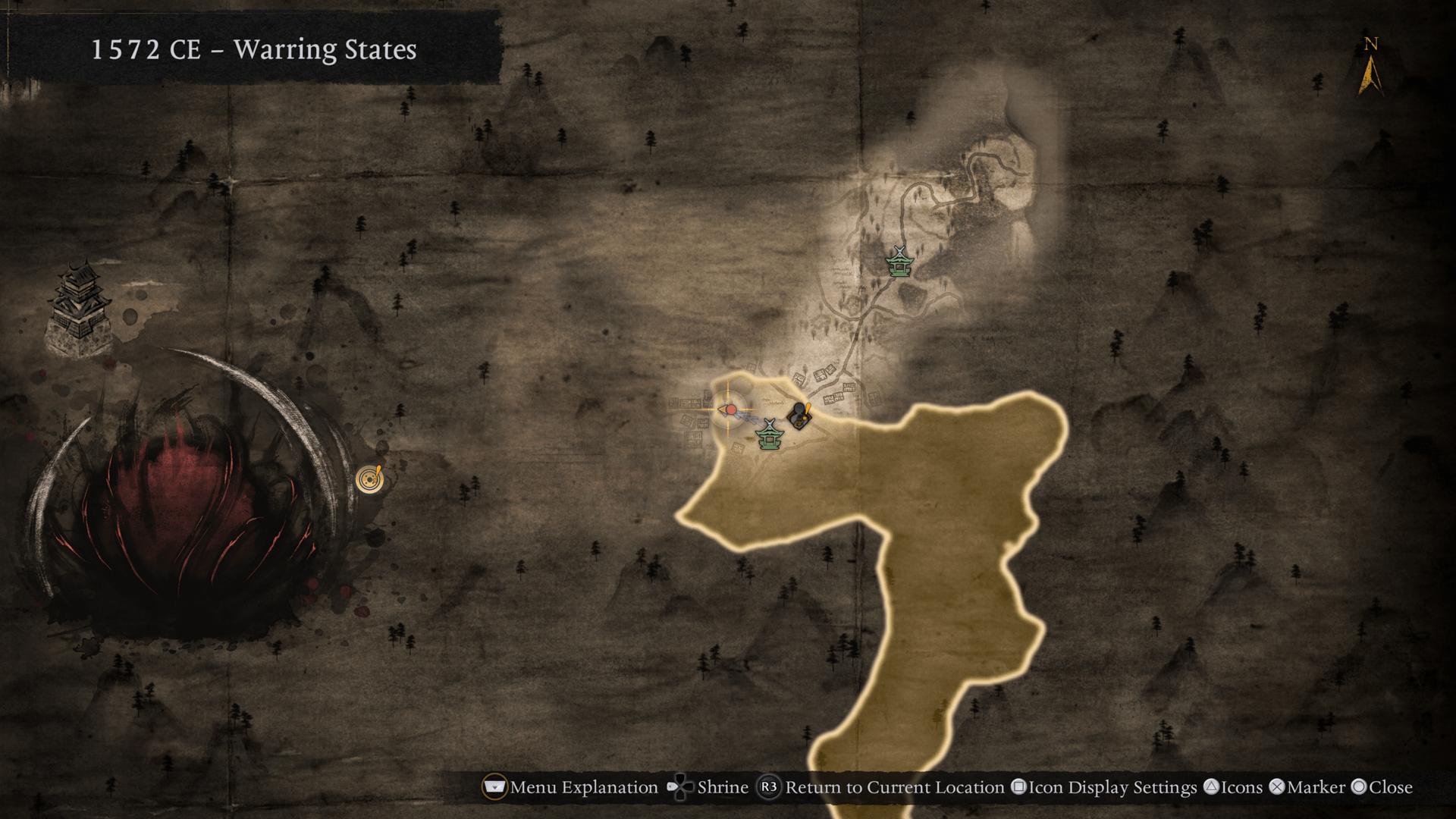
Records information on areas you have explored. Events related to story progression are displayed with  . Unlocked shrines and Bodhisattva Statues are displayed on the map and can be fast traveled to.
You can access the map via the Main Menu or by doing the following:
| Open Map | ||
|---|---|---|
| PlayStation®5 | PC/Steam® | |
| Controller | Keyboard and Mouse | |
 |
 |
 |
Exploration Level
Your exploration progress. It is divided by era and area.
Exploration Level can be increased by completing Myths, capturing enemy bases, cleansing Lesser Crucibles, and more.
By increasing your Exploration Level, your Core Stats will increase, and more detailed information will be displayed on the map.
Main Menu
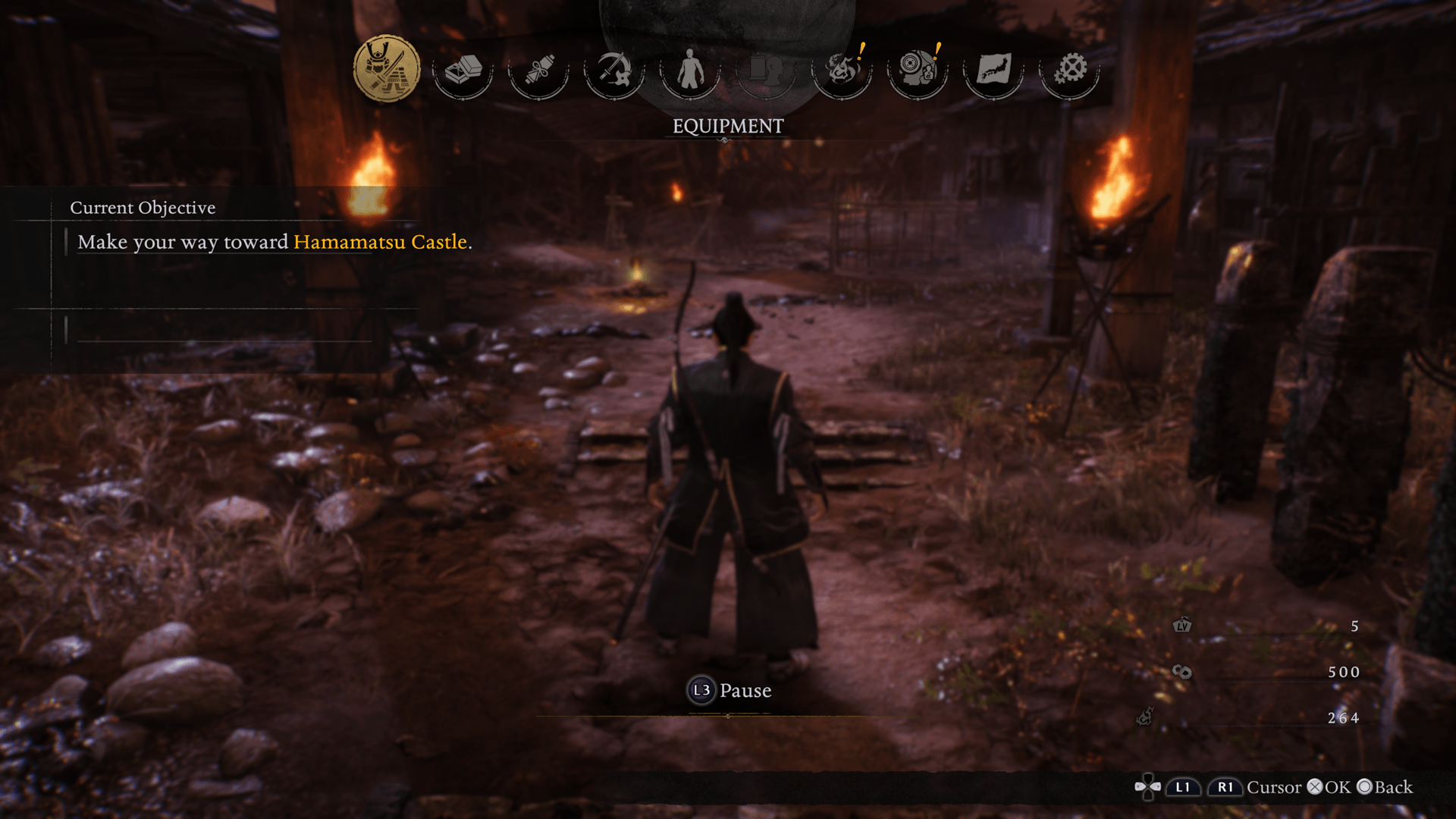
Equipment
You can change your equipment. Samurai Style and Ninja Style each have a different equipment set.
Items
View the items and equipment in your possession.
Acquire Martial Arts/Ninjutsu
Spend Samurai Points and Ninja Points to acquire new Martial Arts and Ninjutsu.
Customize Martial Arts/Ninjutsu
Assign acquired Martial Arts/Ninjutsu to commands.
Status
View your status.
Titles
View obtained titles and acquire Prestige to enhance your character.
Prestige can be acquired with Prestige Points, which accumulate when you obtain titles.
Amrita Memories
View tutorials and browse the encyclopedia.
Progress
View Story, Mission, and Myth progress.
Map
View the map of the world. From the map, you can fast travel to different eras, as well as unlocked shrines and the Eternal Rift.
System
Change various settings.
Pause
You can pause the game by accessing the Main Menu and doing the following:
| Pause | ||
|---|---|---|
| PlayStation®5 | PC/Steam® | |
| Controller | Keyboard and Mouse | |
 |
 |
 |
Graves

When you die, your Guardian Spirit will create a grave and linger there. Although you will be without a Guardian Spirit upon reviving, it will return to you when you reach your grave, along with the Amrita in your possession when you died.
Note: If you die again before reaching your grave, you will lose your Amrita but regain your Guardian Spirit.
Shrine Menu
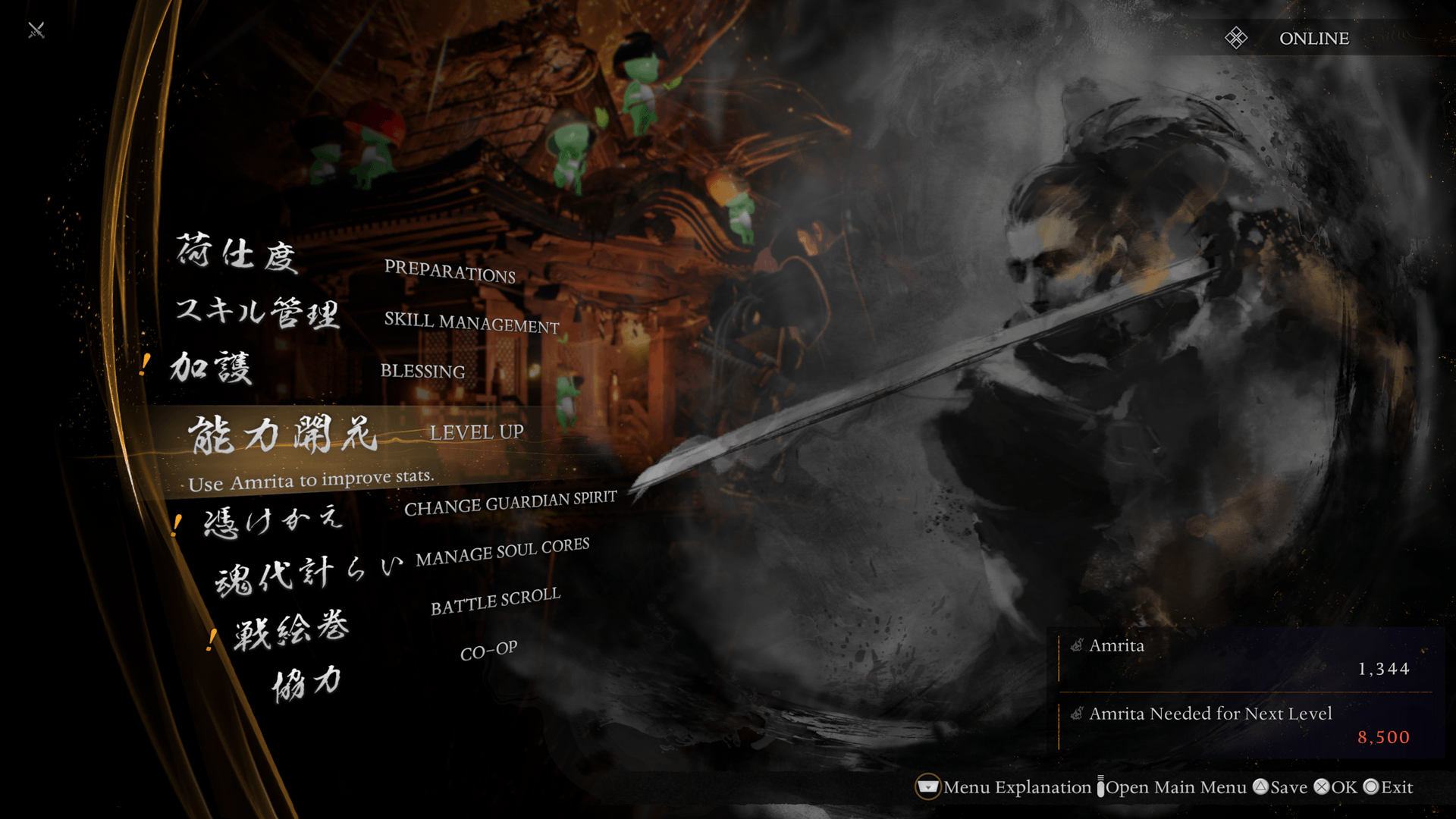
The menu displayed when you pray at a shrine or Bodhisattva Statue.
Leveling Up
Spend Amrita to raise individual stats.
Change Guardian Spirit
Set a Guardian Spirit for each style.
Call Back
Call back the Guardian Spirit lingering at your grave after you die.
In exchange for regaining the protection of your Guardian Spirit, your grave will disappear.
Manage Soul Cores
Set and enhance Soul Cores and Guardian Spirits.
Onmyo Box
Set Soul Cores in the Onmyo Box to ready Onmyo Magic.
You can set Soul Cores in both the Yang Position and the Yin Position, with each position offering different benefits.
- Yang Position: Boost your Attack and Defense, and obtain special effects. Also, by satisfying certain conditions, you will also be able to use a Summoning Seal to summon your set Soul Core's corresponding yokai.
- Yin Position: Set a Soul Core in this position to be able to use its corresponding Onmyo Magic.
Resting Rites
Perform Resting Rites to acquire Soul Fragments.
Occasionally, you will also acquire yokai materials.
Enhance Soul Core
Spend Soul Fragments to enhance Soul Cores.
Note: This is unlocked later in the game.
Enhance Guardian
Spend Soul Fragments to enhance Guardian Spirits.
Note: This is unlocked later in the game.
Battle Scroll
Play completed missions and side quests.
You can end your play session by selecting "Return from Mission" from System in the Main Menu, or "Return" from the Shrine menu.
Co-op
Play online with up to three players.
Preparations
Place and organize items.
Make an Offering
Make an offering of equipment to the deities. In return, you will receive Amrita and occasionally items.
Boons
Obtain all distributed items, add-on items, and rewards from users of your Benevolent Grave.
Manage Equipment Sets
You can save and change your current equipment and skill setup at any time.
Note: This is unlocked later in the game.
Skill Management
Set skills acquired through Secret Skills Texts.
Blessing
Kodama and Jizo Merit can be allocated to acquire and enhance their blessings.
You can also change your Clan Protection.