Camera Upgrades
The capabilities of the Camera Obscura and its filters can be upgraded from the Camera Obscura option in the menu.
Prayer Beads
You may find items known as Prayer Beads while exploring.
These beads can be used to upgrade the capabilities of the Camera Obscura and filters.
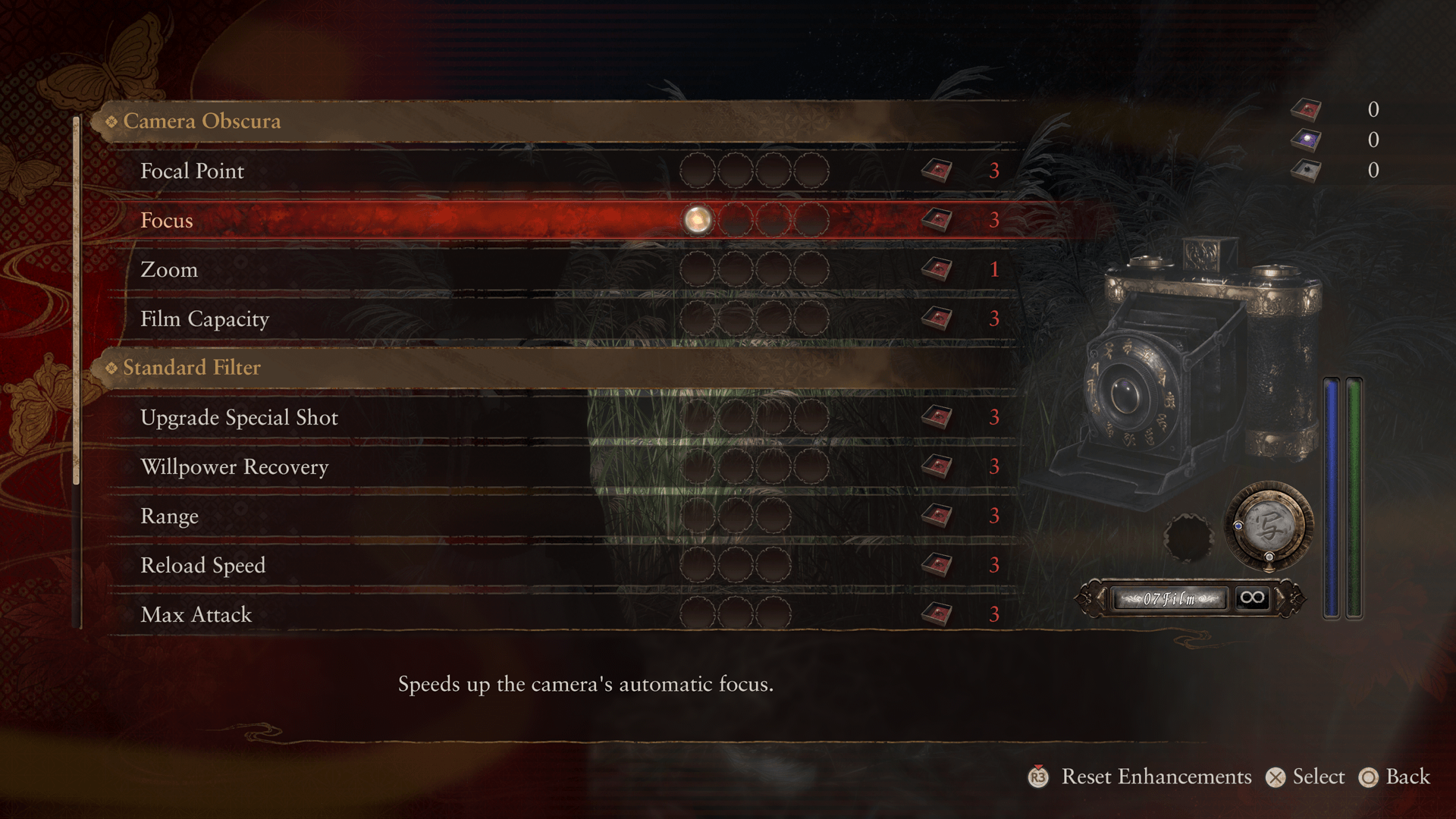
| Recommended Early-Game Upgrades (Camera Obscura) | |
|---|---|
| Focal Points | Adding more focal points makes it easier to inflict damage on wraiths. Prayer Beads needed: 3 (first time) |
| Focus | Allows you to adjust the focus manually. You can focus faster than with auto-focus and thus deal damage more easily. Prayer Beads needed: 1 (first time) |
Upgrade Limits
Camera upgrade tiers have limits.
But specific items enable you to upgrade the Camera Obscura beyond these limits.
Reset Enhancements
Reversion Beads are items that can be used to reset upgrades.
When resetting upgrades, all of the items that were used for the upgrades are returned to you.
Filter
List of Filters and Effects
Aside from Radiant Filters, filters themselves do not use film and can be used while reloading, but they will not deal damage.
| Standard | A filter that absorbs Willpower when shooting. Special Shot Suppress: Pushes back photographed wraiths. |
|---|---|
| Paraceptual | A filter with a long shooting distance (ranged attack). Special Shot Blind: Temporarily blinds photographed wraiths. |
| Exposure | A filter with a short film reload time. Special Shot Slow: Temporarily slows photographed wraiths. |
| Radiant | A filter with high attack power. Special Shot Purge: Charges up to deal more damage to wraiths. Consumes film, and cannot be used while reloading. |
Switch between filters as the situation demands. For example, you can shoot from a distance with the Paraceptual Filter when facing a powerful wraith, then close in to deal a devastating final shot with the Radiant Filter once the wraith is at low HP.
If a wraith is proving difficult to target, use Special Shots to impede its movement and aim for a Shutter Chance.
Updated on 04/01/2026
Special Filter Abilities
The Paraceptual, Exposure, and Radiant filters each have special abilities that can be used while exploring.
Paraceptual Filter - Vanishing Traces

Upon spotting a figure recreating actions from the past, Vanishing Traces will appear. Search for these Vanishing Traces using the Paraceptual Filter to uncover the path this shade once followed.
Exposure Filter Phantom Exposé - Revenants

After obtaining a Photo Record, observe the location in the photo through the Exposure Filter and use Phantom Exposé to restore vanished things.
This also allows you to photograph invisible revenants, which earns you items.
Radiant Filter - Unbinding of Blood

Locations sealed by bloody handprints can be opened using the Radiant Filter's Special Shot, Unbinding of Blood.
Perform Unbinding of Blood by holding the Special Shot button until the charge reaches maximum before shooting.