Controls: Steam®
If the game is slow, lowering the quality of the graphics may improve it.
Controller
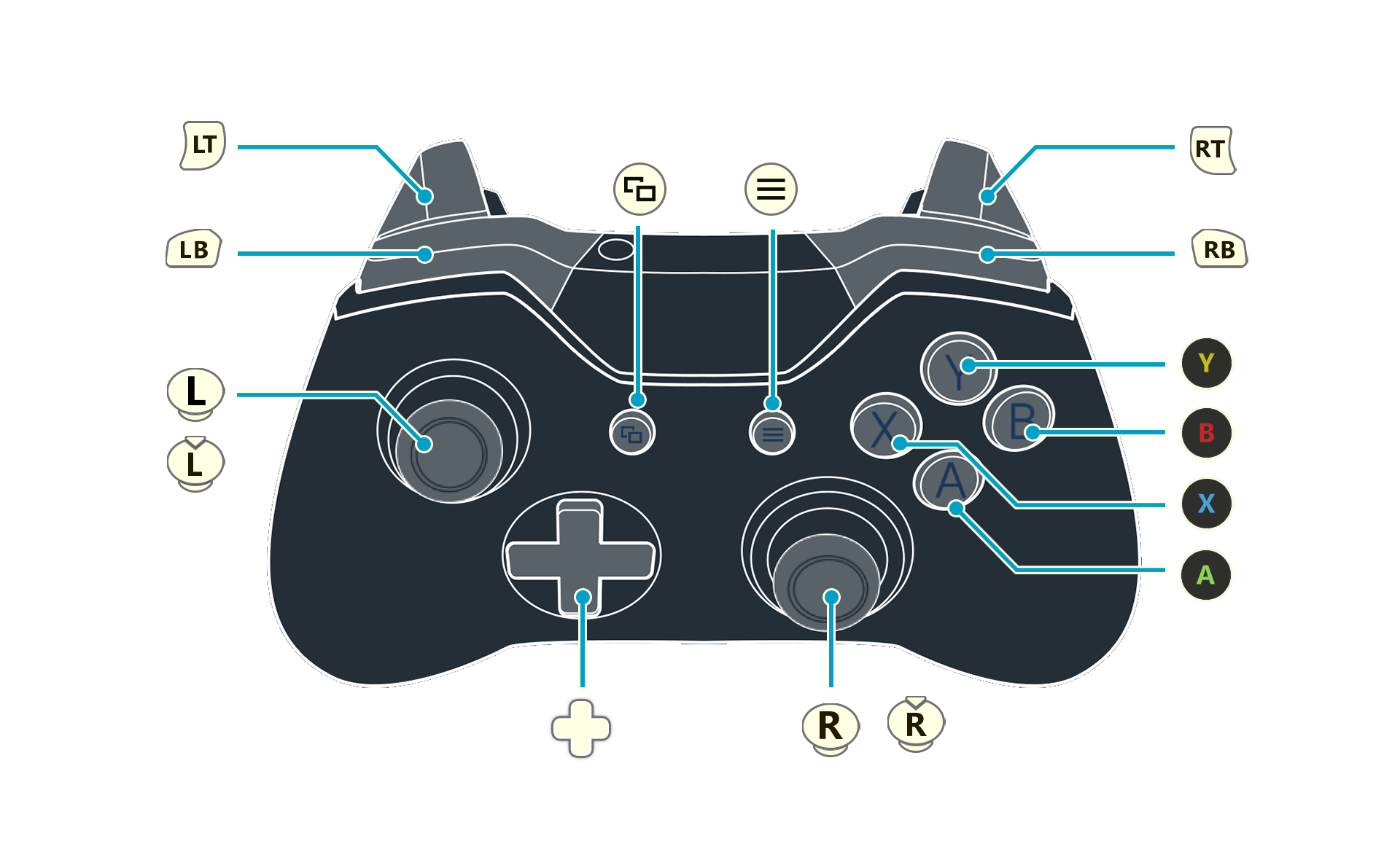
A detailed key guide will be displayed on the bottom right of the game screen.
The controls used to adjust the camera zoom can be changed under Camera on the Options menu.
 |
Examine / Confirm |
|---|---|
 |
Jump / Cancel |
 |
Swing (Press & hold) Charged swing |
 |
Main Menu (Hold) Display the PC menu |
 |
View story |
 |
Skip (cutscenes) Memory Map (field) |
 |
Move |
 |
Adjust camera |
 (+) (+) |
Run (default) |
 |
Switch tab Change gathering tool (field) |
|
Switch tab Run ON/OFF (change in Settings) |
 |
Zoom out |
 |
Zoom in |
 |
Event Log |
 |
View full map |
Keyboard and Mouse Controls
For the Steam version, you can also use mouse and keyboard.
A detailed key guide will be displayed on the bottom right of the game screen.
Key configurations can be changed under Keyboard on the Options menu.
The control guide displayed in the game conforms to the QWERTY keyboard layout.
The controls used to adjust the camera zoom can be changed under Camera on the Options menu.
Field Screen Controls
| Character Movement |     |
|---|---|
| Camera |  (Mouse Movement) (Mouse Movement)     |
| Zoom in Zoom out |
   |
| Run |  |
| Examine / Confirm |  |
| Swing |  
|
| Charged Swing | (Hold)(Hold) |
| Jump |  |
| Menu Screen |  |
| Event Log |  |
| Full Map |  |
| Switch Gathering Tool |  + (Mouse Movement) + + (Mouse Movement) + |
| World Map |  |
| Story |  |
| PC Main Menu |  |
Battle Controls
| Attack | |
|---|---|
| Skills |  |
| Item | |
| Move | |
| Quick Actions |   |
| Raise Tactics Level |   |
| Convert Item | |
| Change Character | |
| Change Mode |   |
| Change Target | |
| Pause | |
| (During pause) Toggle Enemy Info/Party Info |  |
Synthesis Controls
| List Selection, Cursor | (Mouse Movement) |
|---|---|
| Scroll | |
| Zoom in Zoom out |
|
| Change Tabs | (Select Tab) |
| Open Skill Tree | |
| Begin Synthesis | |
| Show ⁄ Hide Material Loop Info | |
| Auto-Add | |
| Toggle Display | |