PlayStation®5
A control guide will also be displayed on-screen.
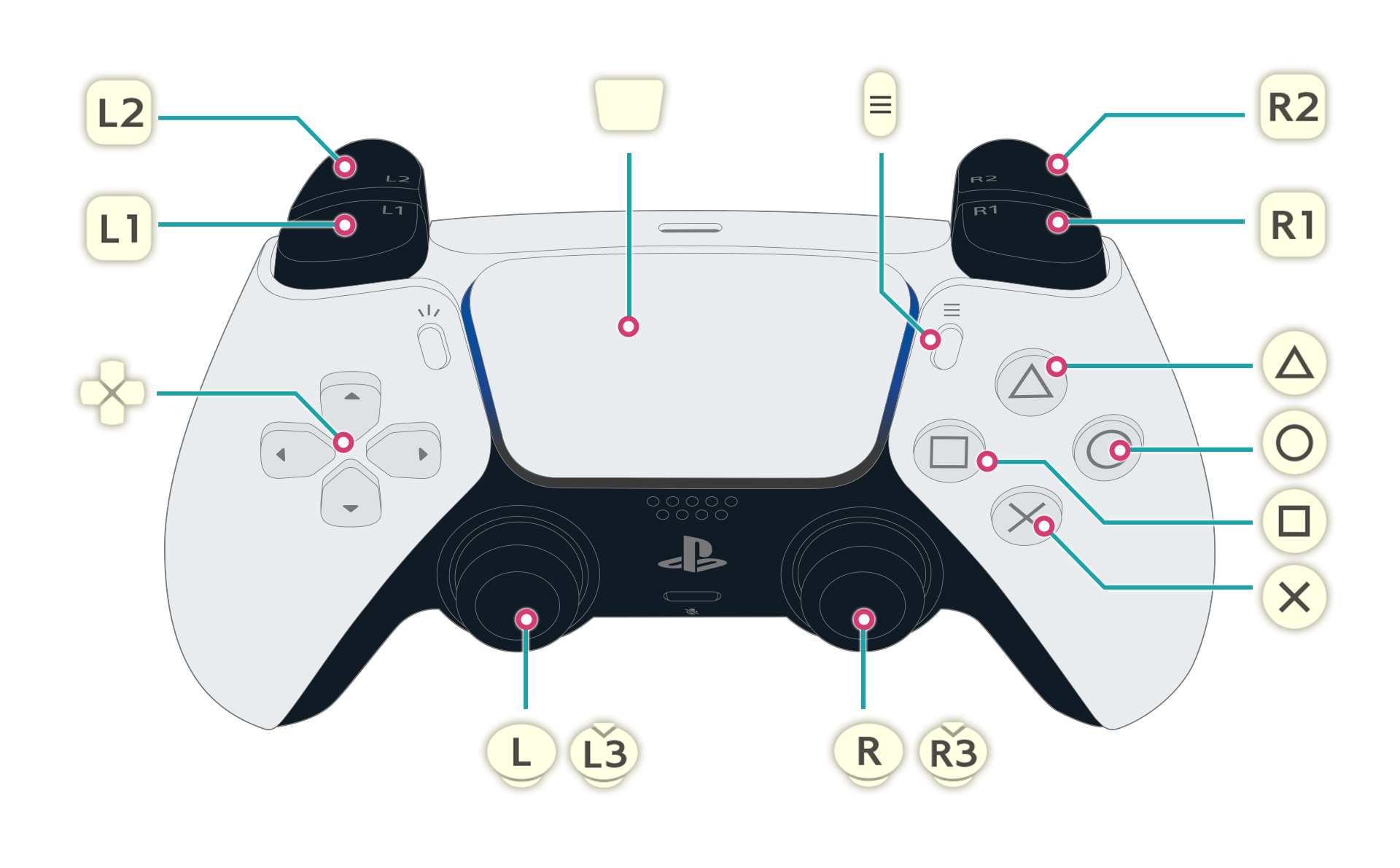
Basic Controls (for all screens)
 |
Confirm |
|---|---|
 |
Cancel / Return |
 / / |
Change Selection |
Exploration Controls
 |
Check / Gather |
|---|---|
|
Crouch |
 |
Swing |
|
Jump |
 |
Display Shortcut Menu / Radial Menu (when held) |
 |
Shoot (when aiming) |
 |
Open the Main Menu |
 |
Open the Area Map |
 |
Display Shortcut Menu / Radial Menu (when held) |
 |
Aim Gun |
 |
Select Ammo |
 |
Zoom Camera In/Out |
 |
Move |
 |
Sprint |
 |
Move Camera |
 |
Show Destination Guide |
Map Controls
|
Close Map |
|---|---|
|
Select Displayed Icons (filters) |
| Hold |
Place Marker |
| Hold |
Fast Travel |
|
Zoom In |
|
Show the Research List (when on the area map) / Show the Area Map (when on a room map) |
|
Zoom Out |
/ |
Move Cursor |
|
Select the Atelier |
|
Reset Cursor |
Synthesis Controls
|
Sort/Filter Ingredients (when selecting a core/slot) / Save Synthesis (when synthesis is possible) |
|---|---|
|
Back |
|
Add to Favorites (when selecting a recipe) / Check Details of Item Being Synthesized |
|
Select Ingredients, Recipes, Cores, Slots, etc. |
| / |
Select Category (when selecting a recipe) / Select Core (when selecting a core/slot) |
|
Show Related Entries (when selecting a recipe) / Auto-Add Ingredients (when selecting a core/slot). |
| / |
Toggle Between Item Rebuilding/Synthesis |
Combat Controls
|
Use Skill/Item |
|---|---|
|
Use Skill/Item |
|
Use Skill/Item |
|
Use Skill/Item |
|
Switch Between Skill/Item Slots |
| Hold + |
Swap Characters |
|
Pause |
|
Mana Surge / Maximized Mana Surge (during Mana Surge) |
| Hold + |
Flee |
| Hold |
Guard |
| Hold + |
Use Support Items |
| + Left/Right |
Evade |
| Hold |
Relocate |
|
Range Shift |
Hold  |
Assemble |
|
Move |
|
Move Camera |
|
Reset Camera |
Building Controls
|
Toggle Snapping (when placing objects) / Dye (when an object is selected) |
|---|---|
|
Finish |
|
Show Furniture List |
|
Place (when placing objects) |
| Hold |
Create Objects |
| / |
Select Object in Slot |
| / |
Toggle Display of Unowned Objects (when checking furniture list) / Display Catalog |
| Hold |
Remove All |
|
Store (when an object is selected) |
| / |
Move Forward/Backward (when placing objects) |
|
Move Vertically (when placing objects) |
|
Rotate (when placing objects) |
|
Move Camera |
|
Change Movement Speed |